
Topic-Based Editing vs AI Auto-Clipping: What's the Difference?
AI clip generators decide what's interesting. Topic-Based Editing lets you decide what matters. These two approaches look similar on the surface, but they represent different philosophies about the role of AI in video editing.
TL;DR
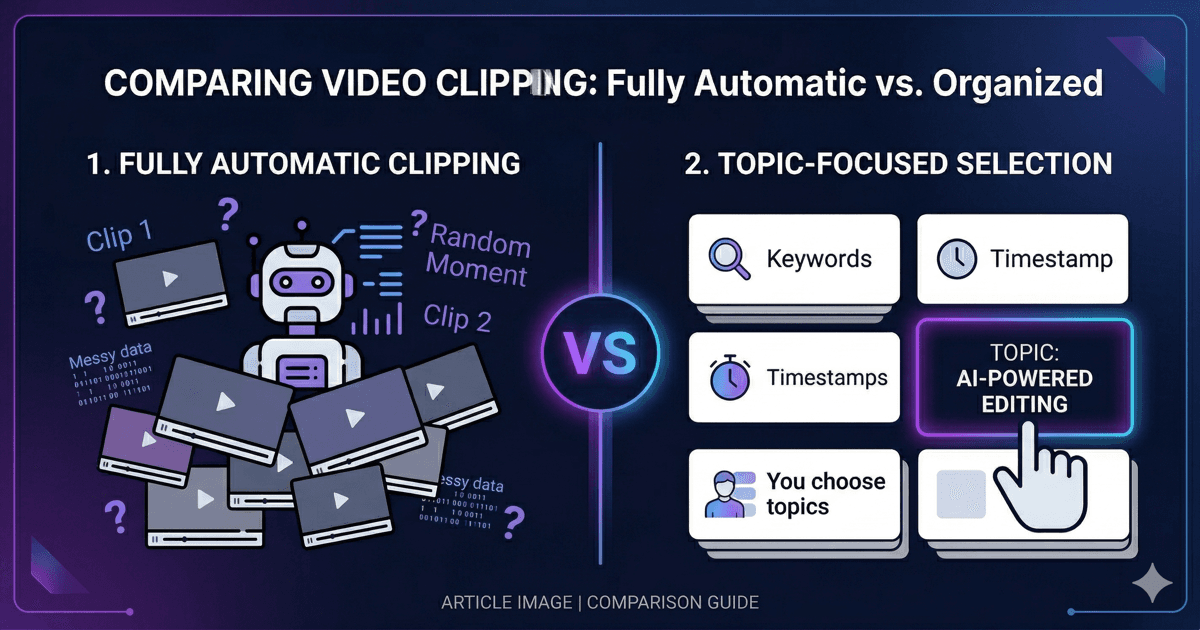
AI Auto-Clipping (OpusClip, Vizard, Munch) scans your video and picks clips based on predicted engagement — the AI decides what's worth watching. Topic-Based Editing (NexClip AI) extracts every topic from your video and lets you choose which ones matter. If you need viral social clips, auto-clipping works. If you need accurate, intentional clips from educational or knowledge content, Topic-Based Editing is built for you.
How AI Auto-Clipping Works
Most AI video clipping tools follow the same basic flow: you upload a video, the AI scans it for "interesting" moments using signals like emotional peaks, keyword density, speaker energy, and audience reactions, then it outputs a set of clips ranked by a "virality score" or similar metric.
This approach works well for social media managers who need volume — turn one long video into 10 short clips and see which ones perform. The AI optimizes for engagement, not accuracy.
The problem? For educators, podcasters, consultants, and anyone creating knowledge content, "interesting" and "important" are not the same thing. A professor doesn't need the most engaging 60 seconds from her lecture — she needs the 8 minutes covering next week's exam topic.
How Topic-Based Editing Works
Topic-Based Editing takes a different approach. Instead of the AI deciding what's worth clipping, it analyzes the entire video and extracts every distinct topic discussed. You then see a list of topics — each with a description, duration, and relevance score — and choose which ones to include in your clip.
The AI handles the tedious work: transcription, topic extraction, sentence-level mapping, and timecode correction. But the editorial decision — what matters — stays with you. You set a target duration, and the optimization engine selects the best sentences while maintaining narrative flow.
Side-by-Side Comparison
| Dimension | AI Auto-Clipping | Topic-Based Editing |
|---|---|---|
| Who decides? | AI decides what's "interesting" | You decide what matters |
| Topic discovery | None — clips based on engagement signals | Automatic extraction of all topics |
| Optimizes for | Virality / engagement | Content relevance + your intent |
| Context preservation | Low — clips at segment boundaries | High — clips at topic boundaries |
| Best for | Social media, highlights, viral content | Education, podcasts, webinars, knowledge content |
| NLE export | Usually MP4 only | FCPXML + Premiere XML + MP4 |
| Video processing | Cloud upload required | Video stays local — only audio sent for transcription |
| Scoring transparency | Opaque "virality score" | Transparent relevance scores per sentence |
| Subclip-level editing | No — clip is the minimum unit | Yes — reorder, toggle, frame-accurate trim |
| Segment reordering | No | Yes |
When to Use Which
Use AI Auto-Clipping when:
- • You need volume — 10+ clips from one video
- • Your goal is social media engagement
- • You don't need control over which topics appear
- • Quick turnaround matters more than precision
Use Topic-Based Editing when:
- • You need specific topics from a long recording
- • Accuracy matters more than virality
- • You're creating educational or knowledge content
- • You want to export to a professional NLE
- • Your video staying on your Mac matters (only audio is sent for transcription)
Different Philosophy, Not Better or Worse
These two approaches aren't competing — they serve different needs. A social media manager churning out TikTok clips has different requirements than a university professor creating topic-specific review materials for students.
The key question is: who should decide what goes into your clip? If you're comfortable letting an algorithm optimize for engagement, auto-clipping tools are mature and effective. If you need to control the editorial intent — because your audience needs specific content, not just entertaining content — Topic-Based Editing gives you that control while still automating the tedious parts.
As we wrote in our analysis of the Post-Sora era: the future of AI in video isn't about replacing human judgment — it's about amplifying it.
Try Topic-Based Editing
Try Free for macOS
NexClip AI
Topic-Based Editing: Pick your topics. Get your clips.
Related Articles
Building a macOS Video Editor with Rust + UniFFI
Use CaseTopic-Based Editing for Educators
Use CaseTopic-Based Editing for Podcasters
ComparisonTopic-Based vs Text-Based vs Timeline Editing
Comparisonvs Munch & Vizard
Comparisonvs Chat-Based Editing (Riverside, Cutback)
Comparisonvs Prompt-Based Editing
Comparison7 Best OpusClip Alternatives for Long-Form Video