
NexClip AI vs Munch vs Vizard: Which AI Video Clipping Tool Is Right for You?
All three tools turn long videos into short clips. But they take different approaches. Here's how to decide which one fits your workflow — and when you might need more than one.
TL;DR
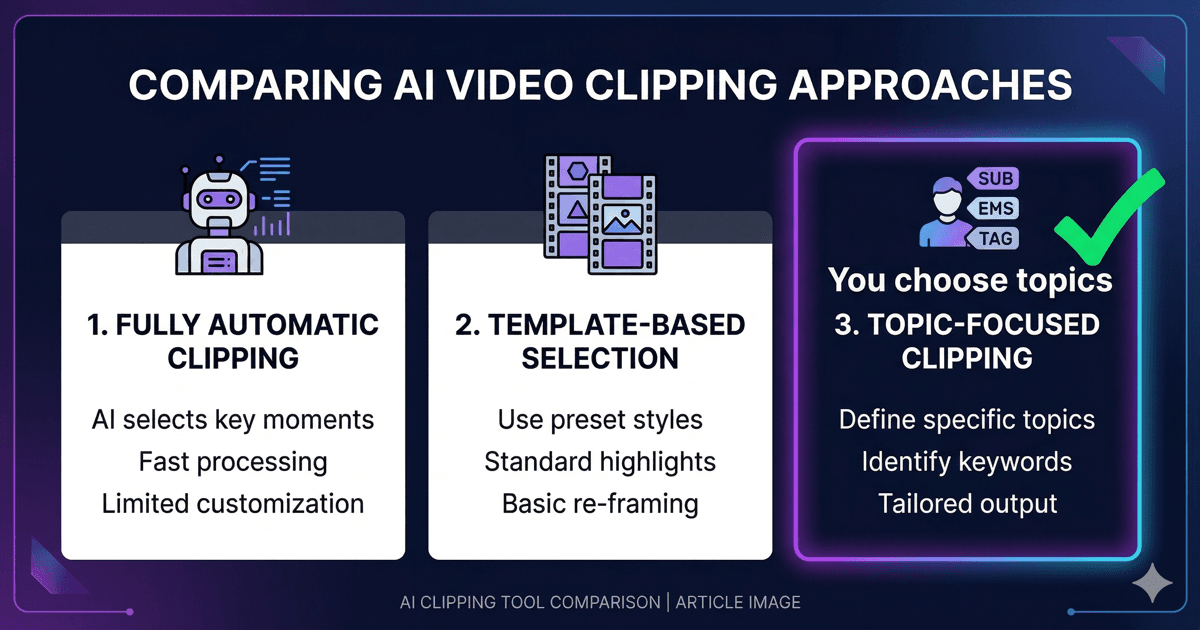
Munch and Vizard are cloud-based AI auto-clipping tools that scan your video and output social-ready clips based on predicted engagement. NexClip AI uses Topic-Based Editing — it extracts every topic from your video and lets you choose which ones to clip. If you need volume for social media, auto-clippers work well. If you need focused, intentional clips from knowledge content, NexClip AI is built for that.
Quick Overview
Munch
Cloud-based. Scans for "trending topics" and engagement signals. Outputs clips with auto-generated captions and aspect ratio conversion. Optimized for TikTok, Reels, Shorts.
Starting at $49/month
Vizard
Cloud-based. AI identifies "key moments" and generates clips with virality scores. Strong on auto-captioning and multi-language support. Designed for content repurposing at scale.
Starting at $30/month
NexClip AI
Native macOS app with Topic-Based AI-Powered Subclipping. Extracts all topics from your video. You select topics, then reorder, toggle, and trim subclips frame-by-frame. Exports to NLEs (FCPXML, Premiere XML).
Free tier available. Creator from $14.99/month
Detailed Comparison
| Feature | Munch | Vizard | NexClip AI |
|---|---|---|---|
| Approach | AI picks clips | AI picks clips | You pick topics |
| Topic discovery | AI extracts topics as post-generation filters; clips are pre-generated by AI | AI selects highlights; Prompt Mode for topic-specific requests. App Store lists "Topic-Based Editing" | Full topic extraction + subclip-level editing |
| Platform | Web (cloud) | Web (cloud) | macOS (local) |
| Video processing | Cloud upload | Cloud upload | Local on Mac |
| Optimizes for | Virality | Engagement | Your intent |
| NLE export | MP4 only | MP4 only | FCPXML, Premiere XML, MP4 |
| Best for | Social media | Social media | Education, podcasts, knowledge content |
| Speaker diarization | Limited | Yes | Yes |
| Privacy | Video uploaded to cloud | Video uploaded to cloud | Video stays on your Mac |
| Audio-only support | No | No | Yes (MP3, WAV, M4A) |
| Subclip-level editing | No | No | Yes |
| Non-destructive toggle | No | No | Yes |
| Segment reordering | No | No | Yes |
| Frame-accurate trimming | No | Limited (web) | Yes (Mac Native) |
The Core Difference: Who Decides?
Munch and Vizard share the same fundamental assumption: the AI should decide what's worth clipping. They scan your video, score segments by engagement potential, and output what their algorithms think will perform best on social media.
NexClip AI inverts this. The AI does the analysis — transcription, topic extraction, sentence mapping — but you make the editorial decision. Which topics matter? What duration? What's the purpose of this clip? These questions can't be answered by an algorithm because they depend on context only you have.
This isn't a matter of "better or worse" — it's a matter of purpose. A social media manager churning out daily Reels has different needs than a professor creating exam review clips or a consultant extracting client-facing segments from a recorded workshop.
When to Use What
Choose Munch or Vizard when:
- • You need high-volume social clips (10+ per video)
- • Engagement metrics matter more than topic accuracy
- • You want auto-generated vertical formats (9:16)
- • You're on Windows or Linux (NexClip AI is macOS-only)
- • Quick, hands-off output is more important than editorial control
Choose NexClip AI when:
- • You need specific topics from long recordings (lectures, podcasts, webinars)
- • Content accuracy matters more than virality scores
- • You want to export to Final Cut Pro or Premiere Pro for further editing
- • Your video files are sensitive and shouldn't leave your computer
- • You work with both English and Japanese content
- • You need multiple different clips from the same video, each covering a specific topic
Frequently Asked Questions
Is NexClip AI a direct competitor to Munch and Vizard?
Not exactly. Munch and Vizard are cloud-based auto-clipping tools optimized for social media. NexClip AI is a native macOS app that uses Topic-Based Editing — you choose the topics, and the AI builds clips around your selections. They serve different use cases: auto-clipping for social media volume, Topic-Based Editing for intentional, knowledge-focused content.
Can I use NexClip AI for social media clips?
Yes, but the approach is different. Instead of the AI picking "viral moments," you select the topics you want to highlight and set platform-specific durations. This works especially well when you need your social clips to stay on-message.
Why is NexClip AI macOS-only while Munch and Vizard are web-based?
NexClip AI runs natively on your Mac. Your video stays on your Mac — only the audio is sent for transcription, and it's deleted right after processing. This means faster processing, no upload wait times, and no file size limits. The trade-off is platform exclusivity, but for Mac users working with sensitive or large video files, keeping video on your machine is a significant advantage.
Try Topic-Based Editing
Try Free for macOSLearn more about Topic-Based Editing•vs OpusClip comparison•vs Descript comparison

NexClip AI
Topic-Based Editing: Pick your topics. Get your clips.
Related Articles
Building a macOS Video Editor with Rust + UniFFI
Use CaseTopic-Based Editing for Educators
Use CaseTopic-Based Editing for Podcasters
Comparisonvs AI Auto-Clipping (OpusClip)
ComparisonTopic-Based vs Text-Based vs Timeline Editing
Comparisonvs Chat-Based Editing (Riverside, Cutback)
Comparisonvs Prompt-Based Editing
Comparison7 Best OpusClip Alternatives for Long-Form Video