
Topic-Based vs Text-Based vs Timeline Editing: Which is Right for Long-Form Video?
Three video editing approaches. Three completely different workflows. Timeline editing gives you frame-level control. Text-based editing changed how we cut. Topic-Based Editing changes what we decide to keep.
TL;DR
Timeline editing (Premiere Pro, Final Cut Pro, DaVinci Resolve) gives you frame-level control over clips on tracks — the traditional way to edit video, with maximum control and the steepest learning curve. Text-based editing (Descript) lets you cut video by editing a transcript — faster for trimming dialogue and removing filler. Topic-Based Editing (NexClip AI) works at a higher level — it extracts the topics discussed in a video and lets you choose which topics to keep, automatically assembling a clip from the relevant segments. Timeline is about control. Text-based is about faster cutting. Topic-based is about faster deciding — the biggest bottleneck in long-form video.
Three approaches, one goal
All three methods help you turn raw footage into finished video, but they operate at completely different levels of the editing process.
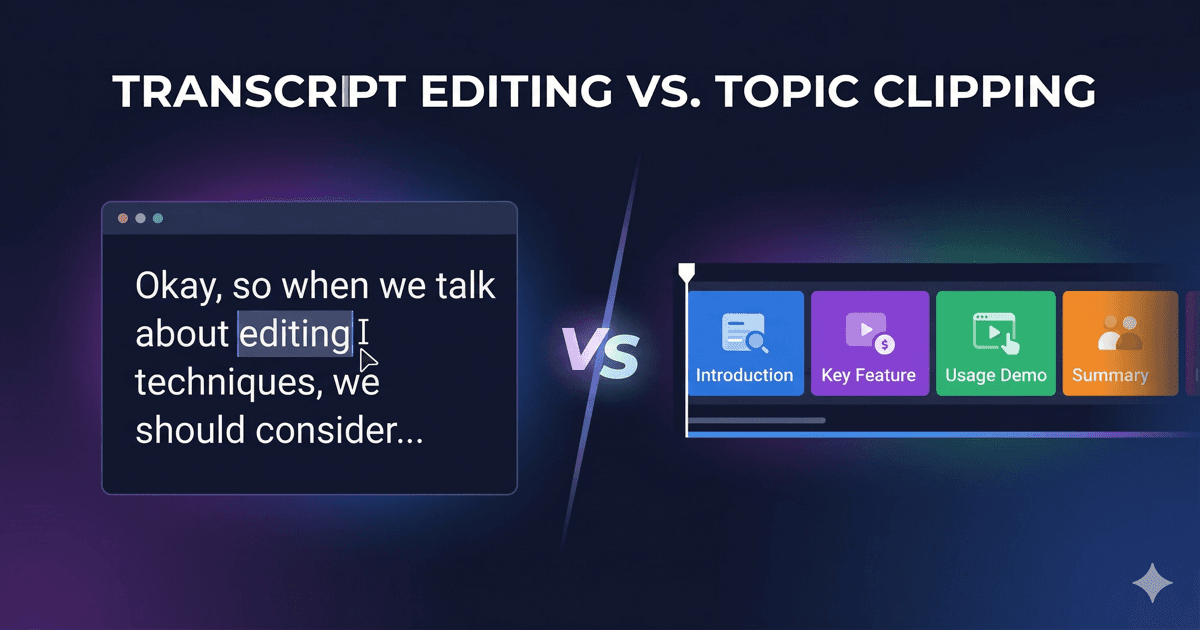
Timeline editing is frame-level: you arrange clips on tracks, trim boundaries, and layer audio — maximum control, steepest learning curve. Text-based editing is word-level: you edit a transcript and the video follows — faster for tight edits. Topic-Based Editing is topic-level: you choose which subjects to keep from hours of footage — fastest for long-form content.
Traditional timeline editors make every frame-accurate cut possible. Text-based tools make cutting faster. Topic-based tools make deciding faster. For long-form content — podcasts, lectures, interviews — the deciding is the hard part.
What is timeline editing?
Timeline editing is the traditional approach used by professional video editors for decades. In tools like Adobe Premiere Pro, Final Cut Pro, and DaVinci Resolve, you arrange video clips on tracks in a timeline, trim edges frame-by-frame, layer audio, add effects, and control every visual detail.
Timeline editing is great for:
- ✓Fine, frame-accurate control over every cut
- ✓Color grading and professional post-production
- ✓Complex compositing with multiple layers, titles, and effects
- ✓Music videos, commercials, and cinematic production
The key insight: timeline editing assumes you will manually find and assemble every moment. Maximum control, maximum time.
What is text-based editing?
Text-based editing, popularized by Descript and now available in Adobe Premiere Pro and DaVinci Resolve, lets you edit video by manipulating a transcript. Delete a word from the transcript, and the corresponding video segment is removed. Highlight a sentence and move it, and the timeline rearranges.
Text-based editing is great for:
- ✓Removing filler words ("um", "uh", "you know")
- ✓Tightening a 10-minute segment into 7 minutes
- ✓Searching for a specific word or phrase in the timeline
- ✓Frankenbiting — combining takes from different parts of a recording
The key insight: text-based editing assumes you already know what you want. It just makes the mechanical act of cutting faster.
What is Topic-Based Editing?
Topic-Based Editing is a method where AI analyzes the full content of a video, extracts the distinct topics discussed, and lets you select which topics to include in your final clip. The tool then automatically identifies every relevant segment for your chosen topics and assembles them into a cohesive clip.
Topic-Based Editing is great for:
- ✓Extracting a 5-minute clip about "tax deductions" from a 90-minute seminar
- ✓Creating topic-specific clips from a multi-topic podcast
- ✓Repurposing a 2-hour lecture into 8 focused topic clips
- ✓Letting the content creator — not the algorithm — decide what matters
The key insight: Topic-Based Editing helps you decide what to keep before you start cutting. It solves the upstream problem — the hours spent scrubbing through footage trying to understand what was said and where.
Side-by-side comparison
| Timeline Editing | Text-Based Editing | Topic-Based Editing | |
|---|---|---|---|
| Core question | "How do I compose this?" | "How do I cut this?" | "What should I keep?" |
| Unit of operation | Clips and tracks | Words and sentences | Topics and segments |
| Input assumption | You know every cut you want | You know what you want | You need help finding it |
| Best for | Short-form, frame-precise edits | Short-form, single-topic content | Long-form, multi-topic content |
| Time savings | Minimal (manual work) | Faster cutting | Faster decision-making |
| Who decides | You (frame-by-frame) | You (manually) | You (AI presents options) |
| Workflow position | Throughout editing | During editing | Before editing |
| Tools | Premiere Pro, Final Cut Pro, DaVinci Resolve | Descript | NexClip AI |
| Learning curve | Steep (professional NLE) | Moderate | Easy (select and export) |
| Long-form suitability | Poor (hours of scrubbing) | Moderate (transcript still long) | Excellent (skip the transcript) |
Four stages, one workflow
This is the most important distinction. Timeline, text-based, and Topic-Based Editing are not competing approaches. They solve problems at different stages of the editing workflow — and they work best when combined.
A 25-year veteran editor recently put it this way: "The real value of AI in editing isn't replacing the cut, it's helping you find the right moment in 3 hours of footage without scrubbing through all of it." That finding is exactly what Topic-Based Editing automates — before text-based or timeline editing ever comes in.
The real bottleneck isn't cutting — it's finding
For a 30-minute video, timeline editing or text-based editing is probably all you need. You can scan the transcript, find what you want, and cut it.
But what about a 2-hour podcast? A 90-minute lecture? A full-day conference recording? The transcript alone could be 20,000+ words. No one is reading that, and no one is scrubbing through 2 hours of timeline looking for the right moment.
This is where Topic-Based Editing changes the game. Instead of reading a transcript or scrubbing a timeline, you see a list of topics: "Tax Deductions for Realtors", "Home Office Expenses", "Quarterly Filing Deadlines". You select the ones that matter. The tool finds every relevant segment across the entire video and assembles them.
You go from 2 hours of footage to a focused, topic-specific clip without watching the video, without reading the transcript, and without touching the timeline.
Frequently asked questions
Should I use Timeline, Text-Based, or Topic-Based editing?
It depends on your content length and goals. For short-form (under 30 minutes) where you know every cut you want, timeline editing gives you maximum control. For tightening dialogue and removing filler, text-based editing is fastest. For long-form content (podcasts, lectures, interviews) where the hard part is deciding what to keep from hours of footage, Topic-Based Editing is the right starting point — you can always finish in a timeline editor afterward.
Is Topic-Based Editing the same as text-based editing?
No. Text-based editing is a method of cutting video by editing text (the transcript). Topic-Based Editing is a method of selecting what content matters based on semantic topic analysis. They operate at different levels and solve different problems.
Can I use all three together?
Yes, and you should. Use Topic-Based Editing first to extract the right segments from long-form footage, then use text-based editing to fine-tune dialogue at the word level, and finish in a timeline editor (Premiere Pro, Final Cut Pro, DaVinci Resolve) for color, graphics, and audio polish. NexClip AI exports to FCPXML and DaVinci Resolve formats for exactly this workflow.
Is NexClip AI a Descript alternative?
No. Descript edits your video at the word level. NexClip AI picks which topics to edit in the first place. They work at different stages of the workflow and complement each other.
Ready to try Topic-Based Editing?
NexClip AI brings Topic-Based AI-Powered Subclipping to your Mac. The only tool that lets you operate at the subclip level with AI-structured topics.
Try NexClip AI FreeRelated reading

NexClip AI
Topic-Based Editing: Pick your topics. Get your clips.
Related Articles
Building a macOS Video Editor with Rust + UniFFI
Use CaseTopic-Based Editing for Educators
Use CaseTopic-Based Editing for Podcasters
Comparisonvs AI Auto-Clipping (OpusClip)
Comparisonvs Munch & Vizard
Comparisonvs Chat-Based Editing (Riverside, Cutback)
Comparisonvs Prompt-Based Editing
Comparison7 Best OpusClip Alternatives for Long-Form Video